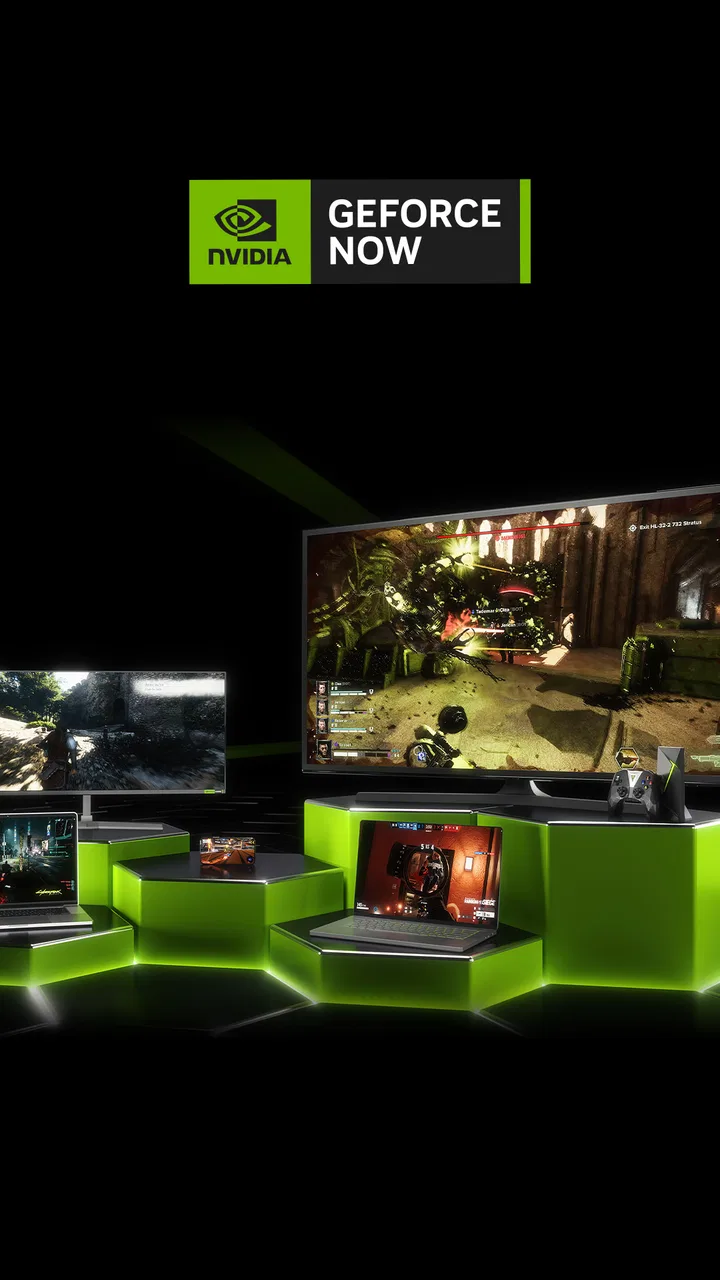
GeForce NOW Cloud Gaming
- 3.5
- Rating
- 10.00M
- Installs
- Free
- Price

 Analysis by App-foxy
I approached GeForce NOW as an entertainment app for people who want to play demanding PC games without relying entirely on the hardware sitting in front of them. Its central idea is simple: the game runs through NVIDIA’s cloud gaming service, while your phone or tablet acts as the screen and control point. That makes the app interesting for someone whose everyday device is convenient but not powerful enough for modern games.
My first impression was that this is less like downloading a normal mobile game and more like opening a remote gaming window. The distinction matters. You are not replacing a game library with a collection of touch-first titles; you are using a cloud-based route to reach supported PC gaming experiences. In practice, that makes the quality of your internet connection, the device you use for control, and the way you already buy or access games much more important than they would be with a conventional Android or iOS game.
NVIDIA released the app on February 4, 2020, and it has become a familiar name in the entertainment category. It is free to download, carries a Teen content rating, and has passed more than ten million installs. Those figures suggest broad interest, but they do not remove the main question: does cloud gaming suit your routine better than a console, a gaming PC, or ordinary mobile games?
You May Also Like

 Blood Strike: 2.5 Anniversary
Blood Strike’s Loadouts Turn Every Drop Into a Tactical Gamble
A close look at Blood Strike’s custom loadouts: how fast access to signature weapons reshapes its battle royale rhythm, rewards preparation, and narrows the gap between fights.

 Pandora - Music & Podcasts
Pandora’s Music Is Easy to Start, but Harder to Recover
Pandora’s strength is its low-effort path from a seed to a station. Its weak spot is how much confidence it asks you to place in connection, setup, and quiet recovery.

 8 Ball Pool
 Is Built on Rivalries, Rematches, and Routine
A close look at the rivalries, rematches, shared routines, and unanswered safety questions that turn a quick pool match into a persistent mobile community.

 Samsung Music
’s Quiet Strength Is Playing What You Already Own
Its reach comes less from spectacle than from dependable access to a personal library. That simplicity is both the app’s strongest retention engine and its ceiling.

 AccuWeather: Weather Radar
AccuWeather Review: A Quick, Clear Forecast for Everyday Decisions
For everyday plans, the best forecast is the one you can understand quickly. AccuWeather makes rain timing, radar, and local conditions easy to act on, with a few trade-offs.

 Hill Climb Racing
Why Hill Climb Racing Still Turns Crashes Into One More Run
A tiny car, a bumpy hill and one more upgrade: Hill Climb Racing keeps resurfacing because its simple chaos makes every near-miss feel personal.
More From Our News Desk
View All News


What I would check before choosing a cloud gaming app
The first decision point is not graphics quality. It is whether your connection can deliver a responsive stream at the moments you actually want to play. A fast connection is helpful, but consistency matters just as much. If your home network is crowded, or if you plan to play through an unstable mobile connection, the experience can change from smooth to frustrating without the app itself changing.
I also think about the type of player. Someone who wants a quick five-minute game designed specifically for touch controls may be happier with a native mobile title. GeForce NOW makes more sense when you already care about PC games, want access from more than one screen, or need a way to play while away from a desktop. The service is built around convenience and access, not around making every game feel as though it was created for a phone.
Another practical question is control. Touch input can be useful for navigating menus or handling games that support it well, but a physical controller is often the more comfortable choice for action-heavy play. That introduces an extra piece of equipment and an extra setup step. I would not treat that as a flaw unique to this app, but I would include it in the buying decision because cloud gaming is supposed to reduce friction, and a controller may be necessary to get the best result.
The final early check is your existing game ownership. GeForce NOW is not simply a universal catalog where every title appears automatically for every user. The usefulness of the app depends on whether the games you want to play are supported and whether your access to them fits the service’s model. Before committing to a long-term routine, I would make a short list of the games I actually care about and verify that the path to launching them is practical.
The setup is approachable, but the first session needs patience
Getting started feels familiar if you have used other streaming services: install the app, sign in, browse what is available, and begin a session. The less obvious work comes afterward. I recommend testing the service at the exact place where you expect to use it, rather than judging it only beside your router. A living-room television, a bedroom, and a commute can produce very different results from the same account.
I would also spend a few minutes checking how the controls feel before beginning a long game. If you are using touch controls, screen size and hand position can affect comfort. If you are using a controller, pairing it before launching a game avoids wasting the opening minutes of a session. This sounds basic, but cloud gaming already adds a layer between you and the game, so removing small sources of delay makes a noticeable difference.
One useful habit is to treat the app as a flexible access point rather than your only gaming destination. I might use it to continue a game when my main computer is unavailable, then return to the computer for a longer session. That approach avoids expecting a phone to replace every part of a full gaming setup and makes the service’s convenience easier to appreciate.
Where the NVIDIA approach is strongest
The biggest strength is access. A compatible phone or tablet can become a doorway to experiences that would normally require a capable computer. For me, that is more compelling than the idea of playing a simple mobile game on a larger screen, because the app addresses a genuine hardware barrier. You can keep the convenience of a portable device while reaching a different class of games.
It is also useful for households with shared technology. If the main computer is being used for work, or if another person needs the television connected to a console, a mobile device can provide another route into your gaming time. I would not describe this as a perfect substitute for a dedicated setup, but it can turn waiting and scheduling problems into manageable compromises.
A less obvious benefit is the reduced need to think about local storage for every game you want to try. Cloud gaming shifts much of the heavy work away from the phone. That can be valuable on a device with limited space, especially for someone who dislikes uninstalling large games to make room for photos, work apps, or offline media.
There is also a useful testing angle. If you are curious about returning to PC gaming but do not want to immediately rebuild your hardware setup, this app can help you find out whether the kind of games you enjoy still fit your lifestyle. I see that as a discovery tool rather than a full replacement for a gaming PC. It lets you evaluate your interest in the habit before making a larger hardware decision.
The NVIDIA name is relevant here because the service is designed around GeForce RTX-powered cloud gaming. That positioning explains why the app feels aimed at people interested in PC-style graphics and game libraries rather than casual mobile entertainment alone. The experience is most convincing when the alternative would be buying or upgrading a powerful machine, not when the alternative is opening a lightweight puzzle game already optimized for your phone.
Three practical habits that improve the experience
My first tip is to create a “good conditions” routine. If you know that other people in your home stream video, upload files, or join video calls in the evening, try cloud gaming at a quieter time before blaming the app for inconsistent play. The point is not to rearrange your whole life around gaming, but to learn when your network behaves predictably.
My second tip is to separate game choice from device choice. A title that feels comfortable with a controller may be awkward with touch controls, even if both launch successfully. I would choose touch-friendly sessions for travel or short breaks and reserve controller-based games for a stable seat. This simple division prevents the common mistake of judging the entire service by one game that was never pleasant to operate on a small screen.
My third tip is to use the app as a continuation tool. Start a longer session on your usual gaming device when you have time, then use the mobile app for a planned follow-up session rather than trying to recreate the whole experience spontaneously. This works especially well for story-driven or progression-based games where continuing from an existing point is more valuable than browsing endlessly for something new.
A fourth consideration is privacy and practicality in shared spaces. Streaming a game to a phone can be quieter and less disruptive than occupying a television, but it may also make text, menus, and small interface elements harder to read. I would choose a larger screen whenever the game depends heavily on detailed information. Portability is an advantage, not a guarantee of better visibility.
Where another option may fit better
Traditional mobile games remain the better choice for instant access. They are installed locally, designed around touch input, and usually easier to start during a short break. If your priority is a reliable game that works without depending on a live stream, GeForce NOW may add unnecessary complexity. A native title is often the more sensible option for flights, weak connections, or places where network conditions are unpredictable.
A console can also be a better fit for someone who values consistency above portability. Consoles provide a dedicated controller, a television-first interface, and a setup designed around local play. They require hardware and living-room space, but they avoid the feeling that your game is being transmitted through a connection. If you mostly play at home and want the fewest variables between pressing a button and seeing the result, a console has a strong case.
A gaming PC offers a different advantage: control. Local hardware can provide a more direct experience, broader adjustment options, and independence from streaming conditions. It also costs more to assemble or upgrade, and it is less convenient to carry around. I would favor a PC for a committed player who wants gaming to be a central hobby, while I would favor NVIDIA’s app for someone who wants access without making a large hardware purchase immediately.
Other cloud gaming services may suit users who prefer a different catalog, device strategy, or account arrangement. The important comparison is not which brand sounds most impressive; it is whether the games you want, the screens you own, and your connection all line up. Switching between services can be worthwhile when your preferred titles are better supported elsewhere, but it is not automatically an upgrade if the real problem is unstable internet.
The hidden cost is not always money
Because the app is free, it is easy to assume that trying it involves no commitment. In reality, the cost of switching can be measured in setup time, accessories, data use, and changed expectations. You may need to organize accounts, learn a new launch process, pair a controller, and accept that a game session can be affected by network activity outside your control.
There is also a mental cost when moving from local gaming. With an installed game, I expect it to open as long as the device and software are ready. With cloud gaming, I think about connection quality first. That extra check becomes routine, but it is still part of the experience. For a person who dislikes troubleshooting, the convenience may not outweigh the added dependency.
On the other hand, the app can reduce the cost of upgrading hardware. If your current phone or tablet is otherwise fine, cloud access may delay the need for a new gaming computer. That is the strongest financial argument in its favor, although it only works if the service supports the games you want and your connection is dependable enough to make regular use enjoyable.
I would also consider how much screen time you want from a phone. A portable device makes it easy to fit a game into spare moments, but long sessions on a small screen can be tiring. A controller and a stand can improve comfort, yet those additions make the setup less spontaneous. The best use is often intentional: choose the right game, the right place, and the right session length instead of treating portability as permission to play anywhere indefinitely.
Who should use it, and who should skip it
I recommend giving GeForce NOW a serious try if you already have a PC game library, own a reasonably modern Android or iOS device, and want another way to reach those games. It is particularly appealing to people who travel between rooms, share a main computer, or want to explore PC gaming before investing in dedicated hardware.
I would be more cautious if you mainly play competitive games where even small control delays bother you. Cloud streaming can be enjoyable, but the experience depends on conditions beyond the game itself. Players who demand the most direct response should compare it with local PC or console play before making it their primary platform.
I would also skip it as a first choice if your favorite gaming moments happen offline, during travel, or in areas with unreliable connectivity. A downloaded mobile game or a dedicated handheld device is more dependable in those situations. Likewise, someone who wants a curated touch-first library may find the PC-oriented approach less natural than a conventional mobile game store.
The app has a Teen content rating, so I would also treat family suitability as something to check title by title rather than assuming that the service’s general category answers every question. The platform provides access to games with different audiences and tones. Parents should be involved in deciding which games are appropriate, especially when a younger player is using a shared account or device.
My final recommendation after weighing the trade-offs
GeForce NOW is a strong convenience tool, but I would not call it a universal replacement for a console, gaming PC, or native mobile games. Its value comes from removing part of the hardware barrier while preserving access to PC-oriented gaming. When the network is stable and the game fits your controls, the result can feel surprisingly practical.
The most sensible way to decide is to begin with one realistic use case. Try it in the room where you will actually play, with the controller or touch method you expect to use, and with a game you genuinely want to continue. Pay attention not only to image quality, but also to how quickly you can start, how comfortable the controls are, and whether the connection remains trustworthy during a normal session.
Its average rating of 3.5 from around 122 thousand ratings reflects the fact that cloud gaming can be excellent for one person and inconvenient for another. I read that not as a reason to dismiss the app, but as a reminder that the service is highly dependent on personal conditions. NVIDIA has built an accessible gateway to RTX-powered cloud gaming, yet the gateway is only as useful as the road leading to it.
For me, the recommendation is clear: use it as a flexible companion to your existing setup if you want PC gaming on a mobile screen and have a dependable connection. Choose a native mobile game, console, or local gaming PC instead when offline reliability, instant response, or a dedicated control experience matters more. At no cost to download, it is worth testing carefully, but the right question is not whether cloud gaming is universally better. The right question is whether it solves your particular access problem.
FAQs for GeForce NOW Cloud Gaming
01What is GeForce NOW Cloud Gaming and how does it work?
GeForce NOW is a cloud gaming service that lets you play supported PC games by streaming them from NVIDIA’s remote servers to your device. Instead of installing and running the game locally, the service processes the graphics in the cloud and sends the video to your screen. You generally need to connect compatible games from stores such as Steam, Epic Games Store, or Ubisoft Connect.
02Do I need to purchase games separately to use GeForce NOW?
In most cases, yes. GeForce NOW does not provide every game included with the subscription. You normally need to own the supported title through a connected PC game store, although some free-to-play games can be launched without an additional purchase. Before subscribing, check the current GeForce NOW library and confirm that your games and preferred store accounts are supported.
03What internet connection is recommended for a good GeForce NOW experience?
A stable, low-latency internet connection is more important than simply having a high download speed. NVIDIA commonly recommends around 15 Mbps for HD streaming and higher speeds for sharper resolutions or faster refresh rates. Ethernet or a strong 5 GHz Wi-Fi connection usually performs better than crowded wireless networks. Data usage can also be substantial during long gaming sessions.
04Can I use GeForce NOW on Android, iPhone, and other devices?
GeForce NOW supports a range of platforms, including compatible Windows and macOS computers, selected Android devices, supported smart TVs, streaming devices, and web access on certain platforms. On iPhone and iPad, access is generally provided through a supported web browser rather than a traditional native app. Compatibility, controller support, and available features can vary by device and region.
05Is GeForce NOW free, and what do the paid memberships offer?
GeForce NOW usually offers a free membership, but it may include waiting queues, session limits, advertising before play, and standard streaming features. Paid plans can provide priority access, longer sessions, improved hardware, higher resolutions, faster frame rates, and reduced latency, depending on the current membership tier. Pricing and benefits may differ by country, so review the official plan details before subscribing.
Pros
- Supports many popular PC game stores and libraries.
- Game saves can sync through supported platforms.
- Works across phones
- tablets
- PCs
- Macs
- and select TVs.
- Free tier lets users test cloud gaming before subscribing.
- No large game installation is required on the device.
Cons
- Free sessions may include queues and limited playtime.
- Performance depends heavily on internet speed and network stability.
- Some games are unavailable due to publisher licensing restrictions.
- Premium plans can become costly for frequent or long-term use.
- Touch controls are limited compared with using a controller.

GeForce NOW Cloud Gaming
Gallery